sketch.AR projects your reference image onto paper, canvas, or a wall in real time —
a modern camera lucida in your pocket. Just follow the lines and watch your art come to life.
Portraits ✳ Landscapes ✳ Lettering ✳ Anime ✳ Animals ✳ Manga ✳ Still life ✳ Your own photos ✳
Like connecting the dots — for real art
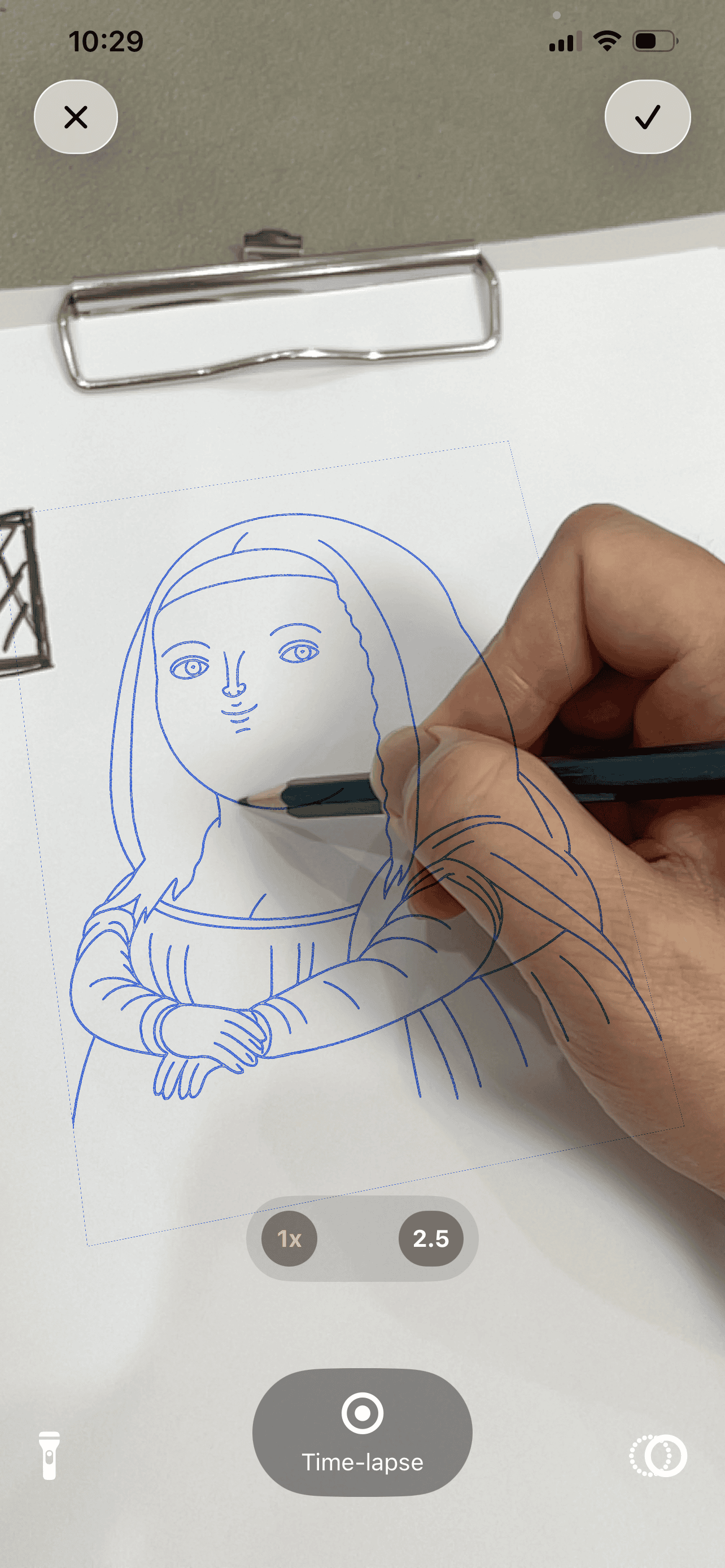
The reference floats over your sheet as a guide. Your pencil does the rest. Try it: trace the drawing, then hide the guide — exactly what a time-lapse export sees.
The guide disappears. Your strokes stay.
Record a time-lapse while you draw and sketch.AR exports only your pencil work —
the AR reference lines never appear in the video. Post the process straight to
TikTok, Instagram, or YouTube.
Time-lapse recording built in — no screen-recording hacks
Pinch to zoom mid-drawing for the tiny details eyes miss
Tracking stays locked to the sheet while your hand moves
Why artists & beginners love it
No drawing experience needed — the overlay guides every stroke. And for experienced artists, it nails the proportions of complex compositions in minutes.
AR tracing
Project any photo onto paper and trace the outlines directly, seeing the reference
overlaid on your surface in real time. Portraits, landscapes, lettering, complex
compositions — if it's in your photo library, it's on your paper. paper, canvas, even walls
Time-lapse recording
Your whole process, exported as a clean video — reference lines hidden, only your strokes remain.
Zoom for detail
Pinch to zoom into the AR view and capture precision that is normally impossible by eye.
Built-in templates
Dozens of ready-to-trace templates — animals, landscapes, portraits, anime, lettering. Pick one and start drawing in seconds.
Beginner friendly
The AR overlay guides every stroke onto the paper, so your very first drawing can be one you're proud of. yes, really — the first one
How it works
One small hand-drawn rectangle is all the setup there is. thirty seconds, tops
1
Draw the anchor
Sketch a small rectangle on the edge of your paper — thicker lines and a few scribbles inside make it easy to recognize.
2
Point & lock on
Aim the camera at the anchor until a green overlay confirms tracking. The reference is now pinned to your sheet.
3
Pick your image
Choose any photo from your library, or start from one of the built-in templates.
4
Position & scale
Drag the image onto your drawing area and size it exactly where you want it.
5
Trace the lines
Look through the screen and follow the outlines with a real pencil on real paper.
6
Share the process
Optionally record a time-lapse of the whole drawing and share it anywhere.
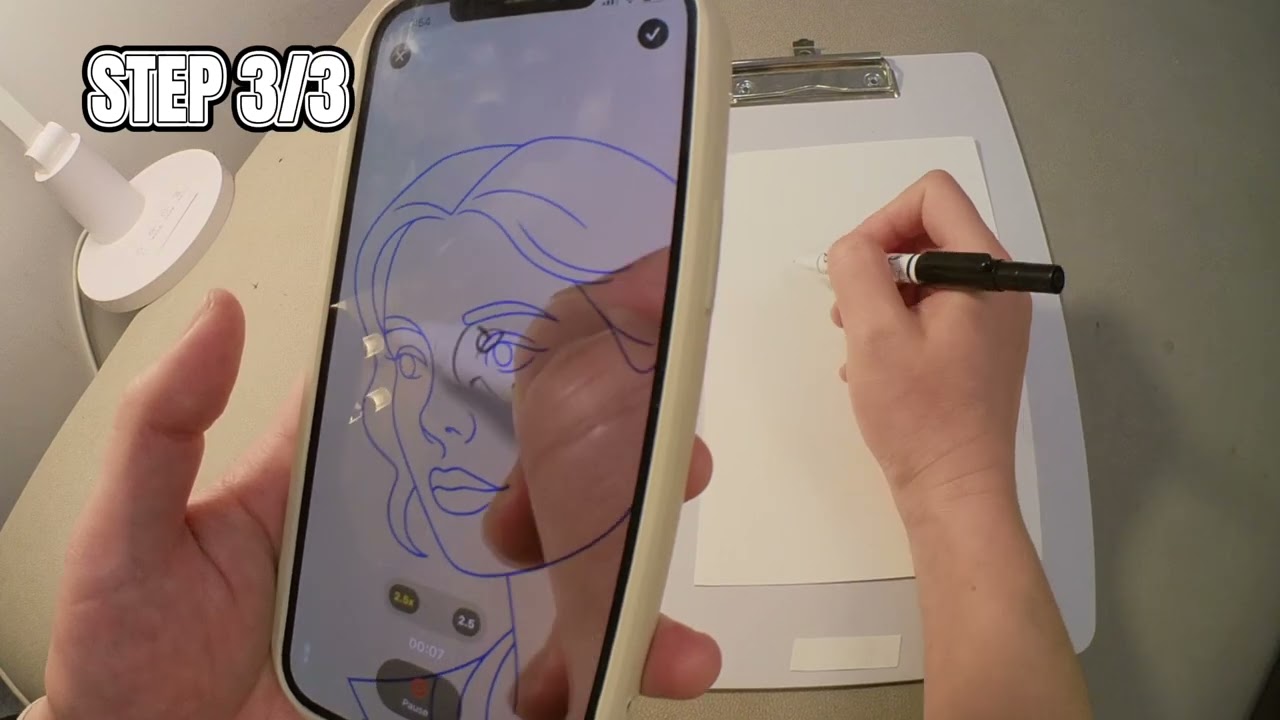
Watch it in action
The official demo: anchor, overlay, trace — a portrait goes from blank sheet to finished lines. filmed over a real drawing